
PUBG International server (Do not support recharge for Korea, Japan, Vietnam, and Taiwan s...
PUBG International server (Do not support recharge for Korea, Japan, Vietnam, and Taiwan servers)
More
Special Offer: Get an extra 5% off when you pay using CRYPTO PAYMENT.
DESCRIPTION
Top Up PUBG Mobile (GLOBAL) instantly via INDGM.
Buy PUBG Mobile UC (Global) Online Get the best deals on PUBG Mobile UC (Unknown Cash) at INDGM. UC is the essential in-game currency used to unlock the Royal Pass, open premium crates, and purchase exclusive outfits and gun skins. We source our UC directly from official distributors to ensure your account remains safe and unbanned.
Why Buy UC from Us?
Official Source: We guarantee 100% legitimate UC.
No Redeem Codes: We credit the UC directly to your Character ID—no hassle with typing long codes.
Fast & Reliable: Trusted by gamers for speed and reliability.
How to Top Up PUBG Mobile UC:
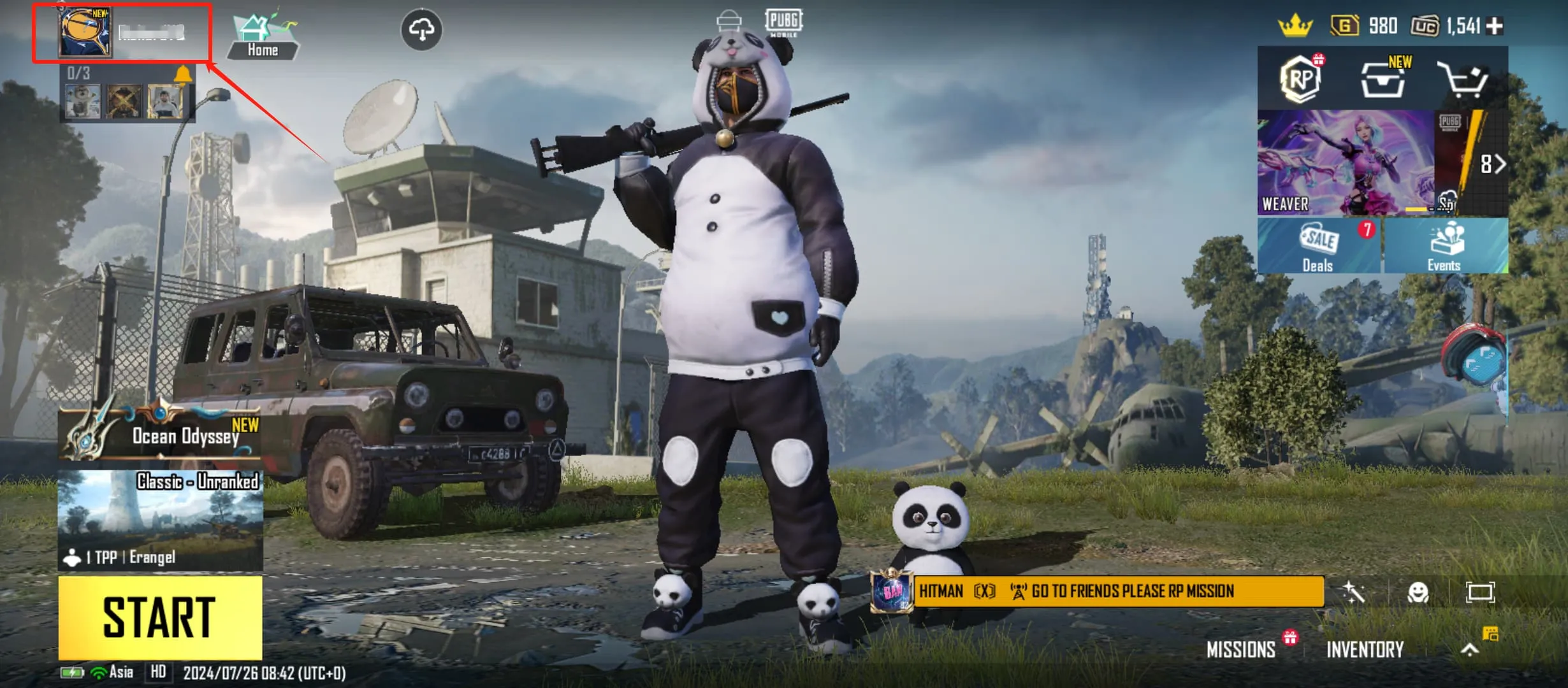
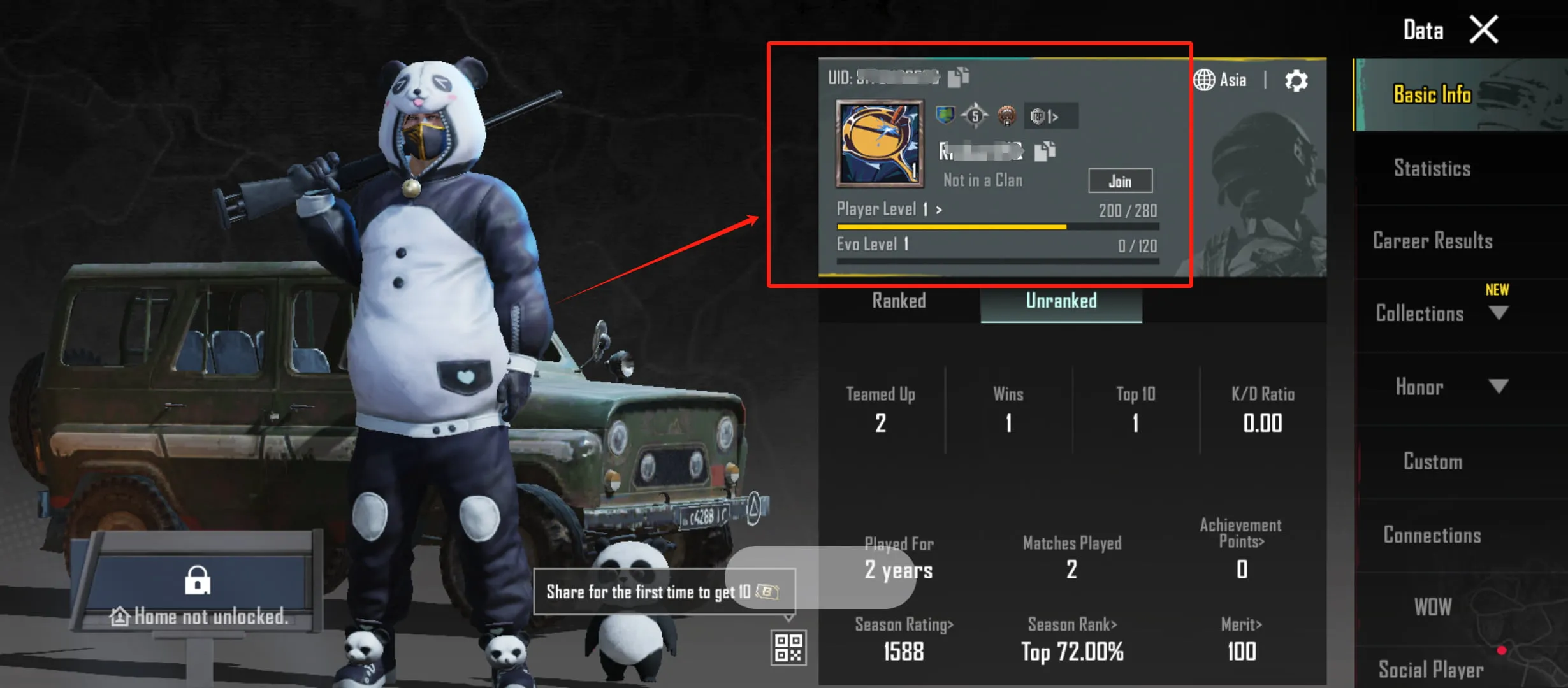
Enter Character ID: Input your unique PUBG Mobile Player ID.
Choose UC Pack: Select the amount of UC you need.
Complete Payment: Pay securely using your preferred method.
Check Account: Open PUBG Mobile, and your new UC balance will be visible instantly.
Top Up PUBG Mobile (GLOBAL) instantly via INDGM.
Buy PUBG Mobile UC (Global) Online Get the best deals on PUBG Mobile UC (Unknown Cash) at INDGM. UC is the essential in-game currency used to unlock the Royal Pass, open premium crates, and purchase exclusive outfits and gun skins. We source our UC directly from official distributors to ensure your account remains safe and unbanned.
Why Buy UC from Us?
Official Source: We guarantee 100% legitimate UC.
No Redeem Codes: We credit the UC directly to your Character ID—no hassle with typing long codes.
Fast & Reliable: Trusted by gamers for speed and reliability.
How to Top Up PUBG Mobile UC:
Enter Character ID: Input your unique PUBG Mobile Player ID.
Choose UC Pack: Select the amount of UC you need.
Complete Payment: Pay securely using your preferred method.
Check Account: Open PUBG Mobile, and your new UC balance will be visible instantly.
GUIDE
How to Top Up PUBG Mobile UC:
Enter Character ID: Input your unique PUBG Mobile Player ID.
Choose UC Pack: Select the amount of UC you need.
Complete Payment: Pay securely using your preferred method.
Check Account: Open PUBG Mobile, and your new UC balance will be visible instantly.
How to Top Up PUBG Mobile UC:
Enter Character ID: Input your unique PUBG Mobile Player ID.
Choose UC Pack: Select the amount of UC you need.
Complete Payment: Pay securely using your preferred method.
Check Account: Open PUBG Mobile, and your new UC balance will be visible instantly.